


What are F0 and PV? Complete Guide to Sterilization and Pasteurization
This article explains what the F0 and PV values calculated by ThermoTrack PC mean, two essential indicators for ensuring the safety and quality of your food products. Plain-language definitions, the differences between sterilization and pasteurization, two worked examples — canned beef pâté and tomato sauce in jars — and the value ranges you need to interpret your own results.
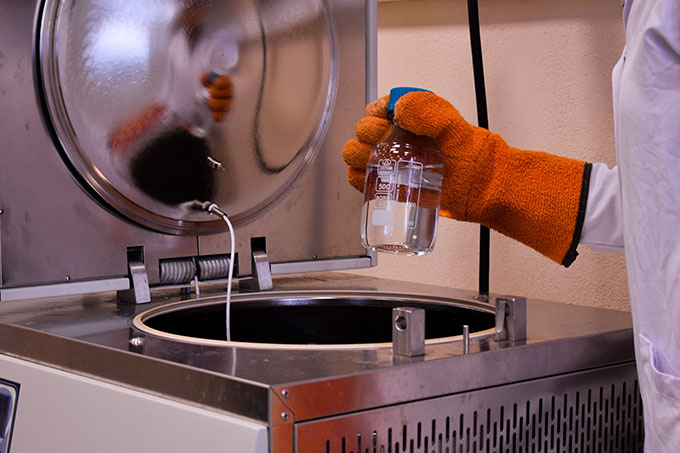
Why This Article Concerns You
You use ThermoTrack PC to process your canned goods, jarred products, or packaged items. During the heating cycle, the software automatically calculates a value: either F0, PV (or both depending on your product).
Often, your customers ask you:
- “What does this value of 43.32 displayed mean?”
- “Why does my meat can have a different result than my tomato preserve?”
- “How do I know if my sterilization was successful?”
This article answers these questions in simple language, without technical jargon. You will understand why these values exist and how to interpret them.
What is F0? Sterilization Explained Simply
Simple Definition
F0 is an indicator that measures “how much time equivalent to 121.1 °C (250 °F) your product has been heated?”
In other words, if you see F0 = 5 minutes, this means your product has received thermal treatment equivalent to 5 minutes at 121.1 °C — even if in reality you heated it at a different temperature.
Why 121.1 °C?
121.1 °C (250 °F) is the international reference temperature for sterilization. This is the temperature of the traditional autoclave. All sterilization calculations worldwide use this reference so that different treatments can be compared.
Purpose of Sterilization
Heat sterilization has one single goal: destroy ALL microorganisms and their spores, including the most heat-resistant ones. Your canned product can then be stored 1 to 2 years at room temperature without refrigeration.
Who Performs Sterilization?
Companies that manufacture:
- Canned meat products (canned pâtés, sterilized pies)
- Low-acid canned vegetables (carrots, mushrooms)
- Prepared dishes in jars (stews, bolognese sauce)
- Canned seafood products
What is PV? Pasteurization Explained Simply
Simple Definition
PV (Pasteurization Value) is an indicator that measures “how much time equivalent to a reference temperature your product has been heated?”
Unlike F0, the reference temperature changes depending on the product type:
- Meat, fish, prepared dishes: PV at 70 °C (158 °F)
- Acidic vegetables (tomatoes, ratatouille): PV at 93.3 °C (200 °F)
- Fresh milk: 72 °C (162 °F) for 15 seconds
Purpose of Pasteurization
Pasteurization has a less radical objective than sterilization: destroy pathogenic microorganisms (dangerous bacteria, viruses), but not ultra-resistant spores.
Result: your product must be stored in the refrigerator (4-6 °C) and keeps only 7 to 24 days for meats, or 6 to 12 months for acidic products thanks to their natural acidity.
Who Performs Pasteurization?
Companies that manufacture:
- Refrigerated canned meat products (pâtés, potted meats, mousses)
- Canned acidic vegetables (tomatoes, ratatouille, pickles)
- Sous-vide prepared dishes
- Fresh fruit juices
- Pasteurized milk
Key Differences Between F0 and PV
| Criterion | F0 (Sterilization) | PV (Pasteurization) |
|---|---|---|
| Objective | Destroy ALL microorganisms and spores | Destroy pathogenic microorganisms (not spores) |
| Reference Temperature | 121.1 °C (fixed) | Variable: 70 °C, 93.3 °C, etc. (depending on product) |
| Actual Treatment Temperature | 100 to 140 °C (212 to 284 °F) | 60 to 95 °C (140 to 203 °F) |
| Typical Duration | 15 to 40 minutes | 20 minutes to 2 hours (depending on product) |
| Storage Conditions | Room temperature, shelf-stable | Requires refrigeration (4-6 °C) |
| Shelf Life | 1 to 2 years | 7 days to 12 months (depending on type) |
| What is Eliminated | Vegetative cells + spores (100% microbial load) | Vegetative cells, some spores, pathogens |
| When to Use? | Low-acid foods, meats, long-term storage | Acidic foods, juice, milk, refrigerated products |
Two Concrete Examples: Meat and Vegetables
Example 1: Canned Beef Pâté (Sterilization, F0)
You manufacture canned beef pâté in a 125 g can. This is a low-acid product (pH > 4.6), so it requires sterilization.
Your heating schedule:
- Heat the autoclave to 121 °C
- Place cans inside for 25 minutes
- Cool gradually
ThermoTrack PC Result: F0 = 8.5 minutes
Interpretation: Your pâté has received thermal treatment equivalent to 8 minutes and 30 seconds at 121.1 °C. This is sufficient to destroy all microorganisms and spores (including the feared Clostridium botulinum). Your pâté can be stored at room temperature for 18 months without any risk.
Example 2: Tomato Sauce in Jars (Pasteurization, PV)
You manufacture tomato sauce in 500 ml jars. Tomatoes are acidic (pH < 4), so pasteurization is sufficient.
Your heating schedule:
- Heat the tank to 93 °C
- Fill hot jars and let them cool naturally
- Total heating time: approximately 30 minutes
ThermoTrack PC Result: PV (at 93.3 °C) = 22 minutes
Interpretation: Your tomato sauce has received thermal treatment equivalent to 22 minutes at 93.3 °C. This destroys pathogenic bacteria but not all spores (which is acceptable for acidic products). Your sauce can be stored in a cool, dark place for 12 months. However, once opened, it should be refrigerated.
Key difference: The beef pâté requires sterilization (F0) because it’s low-acid. The tomato sauce only needs pasteurization (PV) because acidity provides additional safety.
How to Interpret the Results
Understanding F0 Values
F0 values represent lethal time equivalents at 121.1 °C. Here’s how to read them:
- F0 < 3 minutes: Insufficient for most low-acid products — risk of survival of spore-forming bacteria
- F0 = 3-5 minutes: Minimum standard for many canned products (meats, vegetables, prepared dishes)
- F0 = 5-10 minutes: Good safety margin, typical for professional canning operations
- F0 > 15 minutes: Very conservative, may affect product quality (over-cooking)
Understanding PV Values
PV values represent lethal time equivalents at the specified reference temperature (usually 70 °C for meats, 93.3 °C for acidic products). Here’s what to expect:
- PV (70 °C) < 5 minutes: Insufficient for refrigerated meat products — pathogenic bacteria may survive
- PV (70 °C) = 5-10 minutes: Acceptable for meat products with proper cold chain
- PV (70 °C) > 20 minutes: Very thorough — rarely necessary unless specific pathogens targeted
For acidic products:
- PV (93.3 °C) > 10 minutes: Sufficient for shelf-stable acidic foods (tomatoes, jams)
Quality vs. Safety: The Balance
Higher F0 or PV values = more microbe destruction, but also more heat damage to your product (texture, color, nutritional value). The goal is to achieve the minimum required value for safety, not the maximum.
This is why validation with a food technologist is essential.
Conclusion
F0 and PV are not magic numbers: they are measurement tools that quantify the effectiveness of your thermal treatment.
- F0 measures the capacity to fully sterilize (long-term storage at room temperature)
- PV measures the capacity to pasteurize effectively (moderate storage under refrigeration)
ThermoTrack PC calculates them automatically for you, but what matters is that you understand what these numbers mean and how to use them to ensure the safety of your products.
If you have doubts about the heating schedule to apply or how to interpret the results, consult a food technologist. It is a worthwhile investment for your regulatory compliance and customer safety.
Need Help?
Consult the complete technical documentation for ThermoTrack PC or contact our support team for questions specific to your software.
For advanced food microbiology questions, we recommend consulting a certified food technologist or a specialized laboratory.
Additional Resources
Our Thermal Measurement Solutions
- ThermoTrack PC – Software for calculating and managing F0 and PV values
- Miniature Waterproof Temperature Datalogger – Robust and reliable probes for sterilization and pasteurization
International Authorities in Food Microbiology
- FDA (Food and Drug Administration) – International standards for food safety
- ISO (International Organization for Standardization) – ISO 12472 – International standard for steam sterilization
- WHO (World Health Organization) – Guidelines on food safety and hygiene
- CDC (Centers for Disease Control and Prevention) – Food safety recommendations and guidelines
- ICMSF (International Commission on Microbiological Specifications for Foods) – Expert guidance on microbiological safety
- EFSA (European Food Safety Authority) – Safety standards for European food products